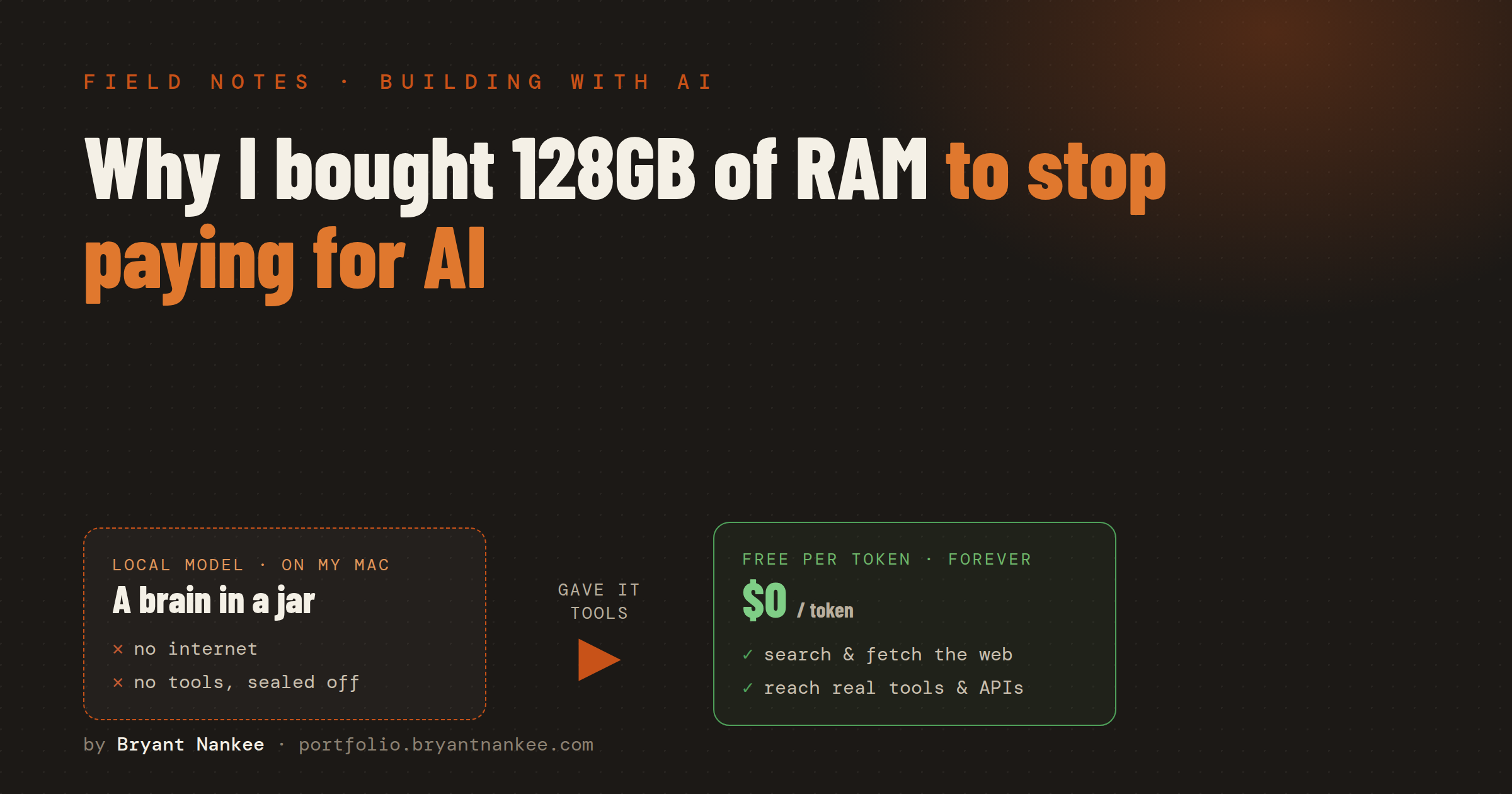
A running theme of this blog is that I'd rather own my tools than rent them. Most of my day still runs on frontier AI — the big models from the big labs — and for hard, high-stakes work, that's exactly where it should run. But a lot of what I ask AI to do all day isn't hard: summarize this, clean up that, classify these, draft a first pass. Paying a metered API for thousands of little routine jobs started to feel like leaving a faucet running.
So I made a bet on hardware. I bought a MacBook Pro with 128GB of memory — and, by luck of timing, I bought it right before memory prices spiked. The idea was simple: run the routine AI work on my own machine, for free per token, and keep the paid frontier models for the jobs that actually earn their cost.
That part worked better than I expected. The part I did not expect — the part I've barely seen written about honestly anywhere — is what happens after the model is running: it can't do anything but talk. Getting from "a model that answers questions" to "a model that can actually go get information and use tools" was the real project.
The whyThree reasons to run AI on your own machine
Before the hard part, the case for doing this at all. Three things pushed me:
- Cost. Frontier APIs are cheap per call and expensive per thousand calls. Move the high-volume, low-stakes work — the summarizing, tidying, tagging — onto a model that costs nothing per token and the meter simply stops running for a big slice of my usage.
- Privacy. Some of what I'd hand an AI is genuinely personal — finances, family notes, half-formed business ideas. A model running on my laptop processes all of that without a single byte leaving the machine. No terms of service, no "we may use your data to improve our models," no free-tier caveats.
- Control. No rate limits, no provider outages, no model getting quietly deprecated out from under me. If it's on my disk, it's mine, and it works on a plane with the Wi-Fi off.
Today's AI prices probably aren't real
There's a subtler reason I wanted to own part of this stack, and it has less to do with today's bill than tomorrow's. Right now, frontier AI is astonishingly cheap for how good it is — and I don't believe that lasts.
The big labs are in a land-grab, backed by enormous piles of investor money, and they're pricing to win the market rather than to cover their costs. A $20-a-month plan can quietly hand you hundreds — sometimes well over a thousand — dollars' worth of raw compute if you actually lean on it. That's not generosity; it's customer acquisition, underwritten by investors who fully expect prices to climb once everyone's dependent.
We've watched this movie before. Ride-share was dirt cheap for years because venture money was eating the difference — buying market share, killing the taxi, building the habit. Once the subsidy thinned out and the market consolidated, prices drifted up toward what the service actually costs. AI is early in that same arc. The per-token price you pay a frontier lab today is a promotional price.
A $20 subscription that hands you thousands of dollars of compute isn't a price. It's an ad.
I'm not betting against the frontier — I use those models every day and they earn it. But I don't want my entire workflow lashed to a promotional rate that can be repriced the moment the funding math changes. Owning the routine layer is a hedge: whatever happens to token prices, the work I've already moved onto my own machine stays free.
And the cheapest AI there is turns out to be the kind that already lives on your own hardware — which comes down to one unglamorous number: memory.
The hardware betWhy RAM is the whole game
Here's the thing that isn't obvious until you try it: to run an AI model on your own machine, the entire model has to fit in memory at once. Not on the hard drive — in RAM, the fast working memory the computer thinks with. A bigger, smarter model is quite literally a bigger file, and if it doesn't fit in memory, it doesn't run. Full stop.
That's why 128GB was the bet. On a Mac, the memory is unified — the same pool feeds both the processor and the graphics chip that does the heavy AI math — so a large memory number translates almost directly into "how smart a model can I hold." With 128GB I can keep genuinely capable models resident and still have room to actually use the computer. Buying it just before the memory-price run-up was pure luck, but it made an already-good bet feel like a steal.
To run a model on your own machine, the whole thing has to fit in memory. A smarter model is a bigger file. RAM is the ceiling.
There's a real ceiling, though, and it's worth being honest about. Some of the models that top the benchmark charts are enormous — hundreds of billions to a trillion-plus internal parameters — and they need far more memory than any laptop has. A few of the best open models simply will not fit on my machine no matter what I do; those I still reach for through a paid API, because that's the right tool for that job. The bet wasn't "never pay for AI again." It was "stop paying for the 80% that doesn't need the expensive stuff."
The stackWhat actually runs the models
The software side is refreshingly boring, which is how I like my infrastructure. Two free pieces do almost all of it:
- Ollama — the engine. It downloads models and runs them, and it exposes them to the rest of my computer through a standard interface, so anything I build can "talk to" a local model the same way it would talk to a cloud one. It's the local stand-in for a big AI provider's API.
- Open WebUI — the front door. A clean chat interface, running on my own machine, that sits in front of Ollama and makes the whole thing feel like a private, self-hosted version of the chat apps everyone already knows. It runs inside Docker — think of it as a sealed box the app lives in, walled off from the rest of the computer. That detail sounds like trivia now; hold onto it, because it comes back to bite in the hard part below.
On top of that I keep not one model but a small ladder of them, each suited to a different kind of work. Which model to reach for — and when — turned out to be its own skill, so it gets its own section just below.
A different model for a different job
The instinct is to hunt for the one best local model and run everything through it. That's the wrong mental model. You keep several, and the actual skill is knowing which to reach for — because every model trades intelligence against speed, and the right pick depends entirely on the task in front of you.
Speed matters more here than people expect. The little 8B model answers almost the instant you hit enter — exactly what you want for a job you're going to run five hundred times, like cleaning up a batch of text. It isn't clever, and I don't ask it to be; hand it anything fact-shaped and it'll cheerfully invent a URL or a date. But for pure format work, instant-and-simple beats slow-and-brilliant every time.
The 32B in the middle is the one I actually live in. It's quick enough to feel conversational and capable enough for the bulk of what I throw at it, which is why it's the default. And when something genuinely needs thinking — weighing a real estate deal, working through a multi-step problem — I climb up to the 70B reasoning model and simply accept the wait, because watching it reason its way to a defensible answer is worth a few seconds I'd never spend on trivia.
Match the model to the job. Don't send a formatting task to the 70B reasoner — it's slow and wasteful. Don't hand a judgment call to the 8B — it's fast and wrong. Half of running local AI well is just routing each task to the smallest model that can actually do it.
Standing all this up took an afternoon. I figured that was the project. It wasn't.
The part nobody talks aboutA local model is a brain in a jar
Here's the thing I genuinely did not appreciate until I was living it, and the reason I wanted to write this post at all: a model running on your own machine is completely sealed off from the world.
When you use a big commercial AI app, it quietly does a lot of work around the model on your behalf. When you ask about something recent, it searches the web for you. When you ask it to look at a document or a webpage, it fetches that for you. When you ask it to do something in another app, there's plumbing behind the scenes making the connection. You never see any of it — it just feels like the AI "knows things" and "can do things."
Strip all of that away — which is exactly what running the raw model yourself does — and you're left with something startling: an incredibly articulate mind that cannot see the internet, cannot open a file it wasn't handed, cannot check today's date, cannot do anything but generate text from what it already memorized during training. It's a brain in a jar. Brilliant, and utterly cut off.
The internet is full of guides for the easy half — install this, pull that model, admire the chat window. I found almost nothing honest about the half that actually matters if you want the thing to be useful: how do you give the brain in the jar a set of hands?
The hard partGiving the model hands
The mechanism for this has a name — tools (or "function calling"). The idea is elegant: you hand the model a short menu of things it's allowed to do — "you can search the web," "you can fetch this webpage," "you can look up a property's value," "you can hit this other service's API." When the model decides it needs one, it says so in a structured way, your system actually runs that action, and the result gets fed back to the model so it can keep going. That's the difference between a model that can only talk about checking the weather and one that can actually check it.
Simple in theory. In practice, wiring it up on a self-hosted setup was the most fiddly part of this entire project, for reasons that mostly aren't written down anywhere.
The first surprise was where the tools actually run — and here's where that Docker box comes back. A tool is just a little program: the code that goes and does the fetching or the lookup. But that code has to live inside the same sealed Docker container the chat interface runs in — not out on my Mac where I'd naturally write and test it. A tool I could run perfectly by hand on my laptop would flatly refuse to fire when the model reached for it, because from inside its box the model couldn't see it, and its dependencies weren't installed in there either. "Seems like it should work" and "actually works" turned out to be two different addresses, and getting everything installed in that narrow spot instead of the obvious one ate an evening by itself.
The second surprise cost me the most hours, and it's the one I most wish someone had written down. There's a setting for how the model is allowed to use tools, and the two options look nearly identical from the outside. In one mode, the model announces which tool it wants and expects the surrounding app to run it. In the other, the system runs the tool itself and feeds the result back automatically. I had it in the first mode — and the symptom was maddening: the model would clearly decide to use a tool, and then hand back a completely empty answer. No error. No hint. Just silence, because it had done its job and was waiting for a hand-off that, in my configuration, was never coming. Flipping that one setting turned dead silence into working, tool-using answers. Hours, for a toggle.
The demo of a local model is "look, it chats." The useful version is "look, it went and got the answer." Everything worth having lives in the gap between those two — and that gap is tools, plumbing, and a couple of settings that fail silently. That's the part the tutorials skip.
The third surprise: not every model is equally good at using its hands, even when everything's wired correctly. Some models reliably reach for the right tool at the right moment; others — often the ones that are strongest at pure reasoning — are clumsy about it, forgetting the tools exist or fumbling the hand-off. So "which model" isn't only a question of how smart it is in the abstract; for anything that needs to act, it's also a question of which model is a good teammate to the tools you gave it.
The payoffWhat it can actually do now
Once the hands were attached, the whole thing changed character. The first tool I got working end-to-end was a web-fetch tool — it hands a webpage to a service that renders it in a real browser and passes back clean, readable text, which the local model can then reason over. That one capability quietly fixes the biggest weakness of a sealed-off model: suddenly it can be pointed at something on the live internet instead of being stuck with only what it memorized.
From there it's a pattern you can repeat. A tool to look up real data behind one of my businesses. A tool to log a result into the system I actually track it in. Each new tool is another thing the brain in the jar can reach out and touch — and because the model itself is free and local, running these all day costs nothing but electricity.
There's a nice second life for this, too: the same local models are the free bottom rung of my always-on agent's fallback plan — if a paid model is unreachable, it can drop down to a local one and keep working instead of going dark. Owning the whole bottom of the stack turns out to be its own kind of resilience.
The takeawayThe model is the easy part
If you take one thing from this: running a capable AI model on your own machine is genuinely approachable now — an afternoon, some free software, and enough memory to hold the model. But a model on its own is a brain in a jar. The value isn't in the brain; it's in the hands you attach to it, and attaching the hands is the part the internet is strangely quiet about. It's fiddly, it fails silently, and it's where all the real leverage hides.
That's the same lesson under all of these posts. The magic was never the shiny piece in the middle. It's the unglamorous plumbing around it — and being willing to spend the evening it takes to wire that plumbing up yourself.